Most small accounts treat every post like a one-time event: write it, publish it, forget it. That is why consistent posting feels exhausting. You are reinventing the wheel every week while your best posts from six months ago sit in the archive doing nothing.
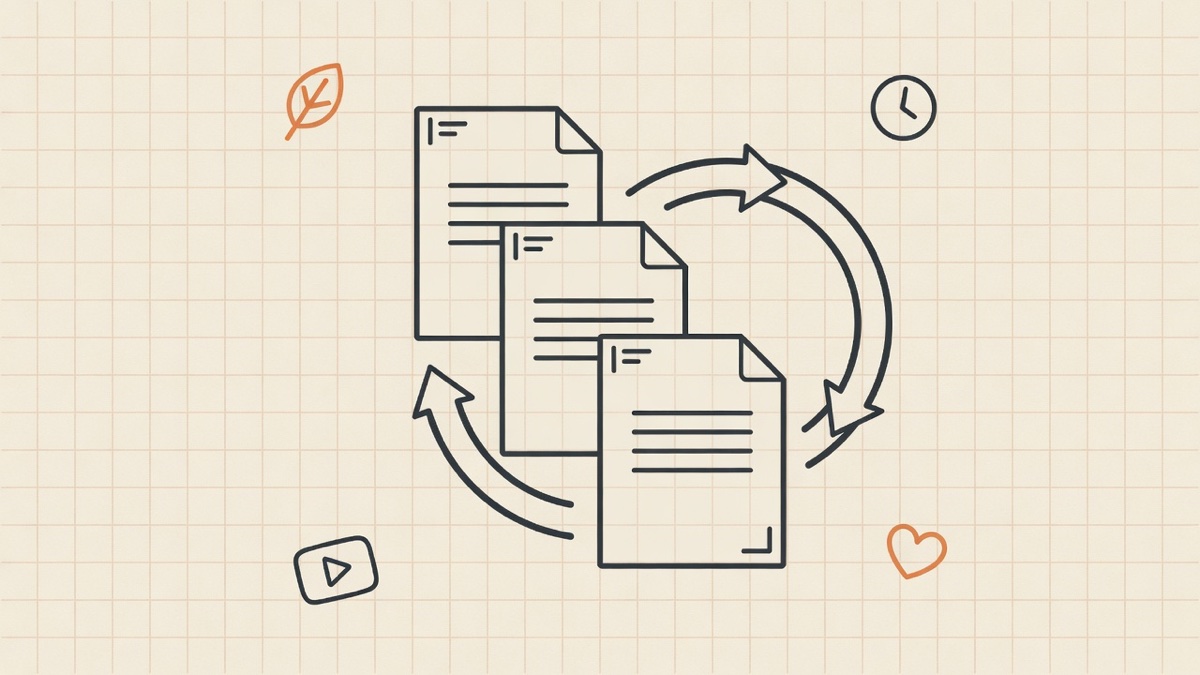
An evergreen content queue fixes the volume problem without lowering quality. You build a library of posts that stay useful for months, schedule them on rotation, and fill the gaps with timely content. The queue runs in the background while you spend your live time on comments and conversations.
What counts as evergreen on social media
Evergreen content stays accurate and helpful long after you publish it. On social, that usually means:
- Teaching posts that explain a process, framework, or mistake to avoid
- Opinion posts that take a clear stance in your niche (not tied to this week's news)
- FAQ answers to questions customers ask every month
- Proof posts with results, case studies, or before/after stories (with permission)
- Founder stories about why you built something or what you learned
What is not evergreen: product launch countdowns, holiday promos, reactions to yesterday's headline, or posts that mention "this week" or a specific date. Schedule those separately; they do not belong in the rotating queue.
Evergreen is different from content repurposing, which packages one idea into new formats. Repurposing creates more assets; the queue decides which assets replay and when. The two stack: repurpose a winner into three formats, then add all three to the queue on different weeks.
How big your queue should be
For a small business posting three to five core ideas per week across several platforms, aim for 12 to 20 evergreen pieces in the library before you lean on rotation heavily. That is roughly one month of unique teaching content at four posts per week, or two months at two per week.
Fewer than eight pieces and listeners hear repeats too fast. More than thirty without fresh additions and the account feels stuck in time. Add one or two new evergreen pieces per month as you answer new customer questions or ship product updates.
Track what is in the queue in your content calendar: title, pillar, primary platform, last scheduled date, and next slot.
Building the queue, step by step
Step 1: Mine your existing winners
Export or scroll your analytics. Sort by saves, shares, comments, or link clicks depending on your goal. Pull the top 10 posts from the last 90 days. If a post still makes sense today, it is queue material.
Short on history? Start with five posts you are proud of and five posts your customers referenced in sales calls or support tickets.
Step 2: Tag each piece with a job
Every queue item needs a job so rotation stays balanced. Use the same five pillars from the calendar template:
- Teach
- Prove
- Position
- Answer
- Promote (use sparingly in evergreen rotation; offers go stale faster)
A queue that is 80 percent teach and answer feels generous. A queue that is 80 percent promote feels like a billboard.
Step 3: Refresh before you requeue
Before an evergreen post returns, scan for:
- Outdated pricing, dates, or product names
- Screenshots of old UI
- Links that 404
- Tone that no longer matches your brand
Run the pre-publish checklist on recycled posts too. Scheduled evergreen fails quietly; nobody catches the typo at publish time.
Step 4: Set a rotation cadence
A simple rotation for a three-posts-per-week account:
- Week A: two new posts (from batching) + one evergreen from the queue
- Week B: two new + one different evergreen
- Week C: two new + evergreen only if you had a light writing week
On fast platforms (X, Threads), you can slot an extra evergreen quote or clip between new posts. On slow platforms (LinkedIn, YouTube), one evergreen per week is enough.
Space repeats: do not replay the same post on the same platform within 60 to 90 days unless it is a documented top performer and you changed the hook or creative.
Step 5: Schedule with per-platform timing
Evergreen does not mean "blast everywhere at once." Queue each format at the right window for that platform using your best times defaults and time zone rules if you have a global audience.
Cross-post adaptations still apply: the LinkedIn version and the TikTok version of the same idea are two queue entries, not one copy-paste.
What to schedule vs keep live
Queue (evergreen + planned teaching): 70 to 85 percent of volume.
Live: reactions, trend participation, community shout-outs, anything where timing is the joke or the value.
Never queue: replies, DMs, and threads that continue an active conversation.
The full split is in how to schedule social media posts. Evergreen is the slice of scheduled content that is safe to repeat.
Signs your queue is working
- You hit posting frequency targets without writing from scratch every day
- Engagement on recycled posts holds within 70 percent of the original (some drop is normal)
- New followers still see your best teaching within their first two weeks following you
- You spend batch time adding to the library, not scrambling for today's post
Signs you need to fix the queue
- Comments say "you posted this already" on the same platform within a month
- Evergreen promos mention expired offers
- Every post sounds the same because you only queued teaching carousels and never proof or stories
- You stopped adding new pieces and the account feels frozen in 2024
Refresh the library monthly: add two new pieces, retire two stale ones.
Evergreen queue vs posting less
A queue is how growing without posting every day becomes operational. You are not posting more; you are using what you already made. Three new posts per week plus one rotated evergreen often outperforms seven rushed originals.
Frequently asked questions
Is recycling posts bad for the algorithm?
Recycling native content months later is normal. What hurts reach is reposting the same creative with watermarks, wrong aspect ratios, or identical timing patterns that look automated. Change hooks, crops, or openers when you replay a winner.
How often should I repeat the same evergreen post?
On the same platform, every 60 to 90 days for most accounts. Faster on X if the post is short and varied. Slower on LinkedIn and YouTube where the same audience remembers longer.
Should evergreen posts go in a separate tool?
No. One scheduler, one calendar, one queue list. Tag rows as "evergreen" in your spreadsheet or Notion so you know what can rotate.
Can AI write my evergreen library?
AI can draft; you should edit for voice and facts. Evergreen fails when it sounds generic or includes wrong details that stay wrong for months. Use AI for outlines, not for unchecked publishing.
Start with five posts this week
Pick your five best teaching posts from the last quarter. Tag them evergreen, schedule one for next week on your primary platform, and note a repeat date 70 days out. Add one new post from batching beside it. That is a working queue.
If you want one composer to queue evergreen rotations across all ten platforms with per-platform times, start a free 7-day WriteOnce trial and load your library once.
Write once. Post to all 10 platforms.
One composer, per-platform tweaks, scheduled in your timezone.