

Schedule TikTok videos while you batch-create
TikTok creators film in batches; the platform expects you to post like you don't. WriteOnce closes that gap. Film four videos on Sunday, upload them once, schedule them across the week, and every one publishes at your chosen time through TikTok's official API.
TikTok also supports photo mode posts and captions up to 4,000 characters, and WriteOnce handles both. The same video can go to Instagram, YouTube, and Facebook in one publish, which is how one afternoon of filming becomes a week of presence on four platforms.
Batch filming, spread publishing
Upload a batch of videos to your library and schedule them days or weeks apart. Your posting rhythm stays daily even when your filming is weekly.
Photo mode included
TikTok photo posts schedule just like videos, so image-led content isn't locked out of your TikTok strategy.
4,000-character captions
TikTok allows long captions and they matter for search. WriteOnce counts against the real limit so your keyword-rich caption publishes intact.
One video, four platforms
Publish the same video to TikTok, Instagram, YouTube, and Facebook at once. Each upload goes through that platform's own API.
How to schedule TikTok posts with WriteOnce
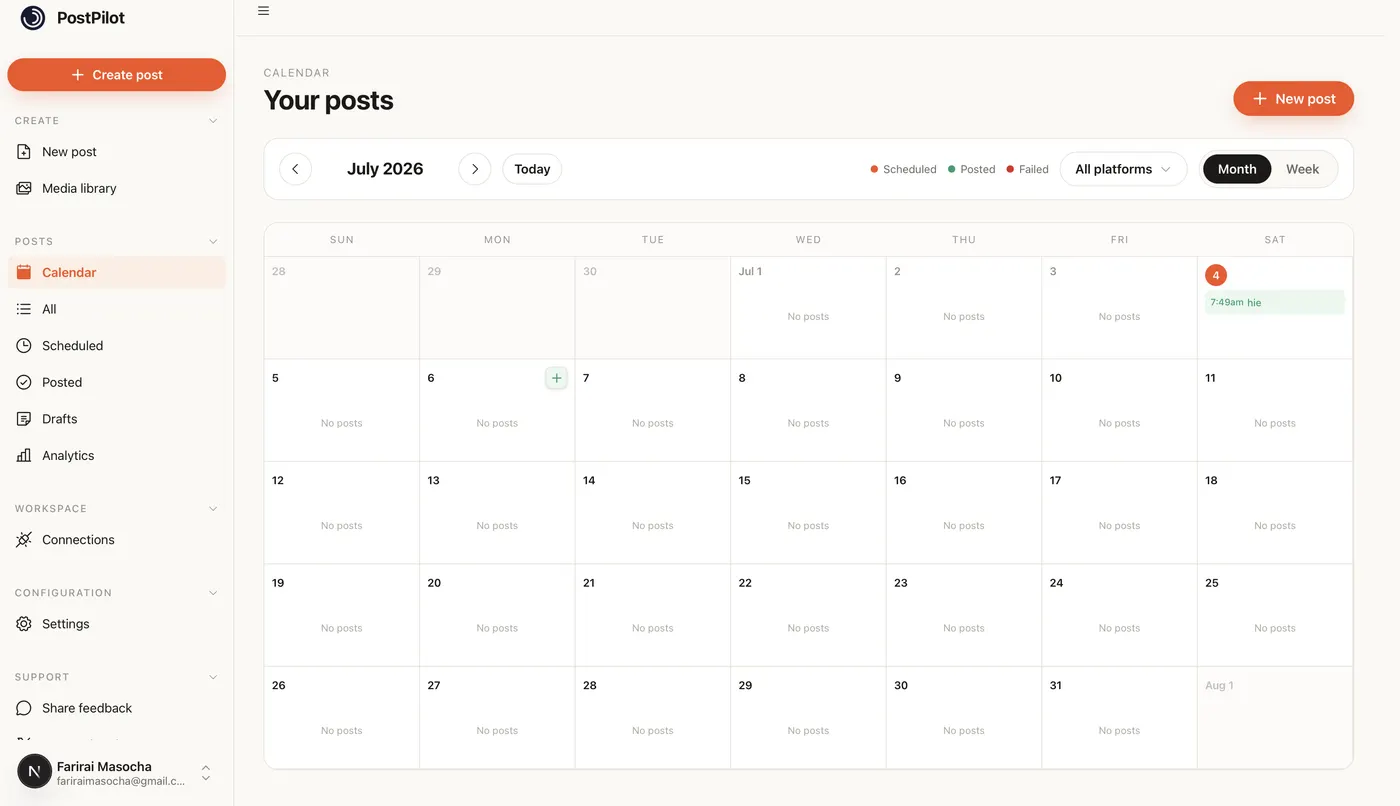
Batch-upload TikTok videos, write captions up to 4,000 characters, and schedule them across the week from one calendar.
- 1
Connect TikTok through the official login
In WriteOnce Settings, connect TikTok via TikTok's own authorization screen. WriteOnce publishes through the official API, so scheduled posts behave like native uploads.
- 2
Upload videos to your media library
Film in batches, then upload all clips to the WriteOnce media library at once. Videos stay available for any post, so you never re-upload the same file for TikTok, Instagram, and YouTube.
- 3
Create a post and select TikTok
Open the composer, attach a video from your library, and tick TikTok. Photo mode posts work the same way: attach images instead of video and TikTok publishes them as photo posts.
- 4
Write a keyword-rich caption
TikTok allows captions up to 4,000 characters and uses them for in-app search. WriteOnce counts against the real limit as you type. Add hashtags and keywords in the caption rather than cramming them into on-screen text.
- 5
Schedule each video for its slot
Pick a specific time for each video or add them to your recurring queue. Creators often film on weekends and schedule Monday through Friday posts so the feed stays active during the work week.
- 6
Cross-post vertical video elsewhere
The same clip usually fits Instagram Reels, YouTube Shorts, and Facebook. Select those platforms alongside TikTok and one upload covers four channels at the same publish time.
Get more from scheduled TikTok posts
Schedule for evening windows
TikTok engagement typically peaks between 6 and 9 p.m. in your audience's timezone. Our best times guide breaks down day-by-day windows if you post to multiple platforms.
Batch film, queue publish
Four videos filmed on Sunday can fill the whole week. Upload all four, write captions in one pass, and schedule each for a different day.
Use TikTok-native emoji codes in captions
Bracket codes like [smile] render as TikTok emoji in-app. Our TikTok emoji guide lists the codes that work in scheduled captions.
Trim in WriteOnce before scheduling
The built-in video editor lets you trim clips and reformat for Reels and Shorts before they hit the queue, so you are not re-editing in three apps.
Related guides
WriteOnce is built for cross-posting. See how TikTok scheduling fits alongside posting to all social media at once and how we compare to other schedulers.
From draft to everywhere in 3 steps
No tabs. No copy-paste. No "did I already post this on LinkedIn?"
Connect your accounts
Link Instagram, X, TikTok, LinkedIn, YouTube and more in two clicks. Secure connections that refresh themselves, so you never log in twice.
Create your post once
Write your caption, add media from your library, and pick which platforms to publish to before it goes live.
Schedule & publish
Post now or pick a date and time. One calendar runs it all.
TikTok scheduler questions, answered
Yes. TikTok's official API supports scheduled publishing through authorized tools like WriteOnce. Your account connects through TikTok's own login flow.
Schedule everywhere else too
WriteOnce is one composer for all 10 platforms. Write your post once and post to all your social media at once. See pricing for plans that include every platform. Compare us to Buffer, Later, or Hootsuite if you are evaluating schedulers.
Hit a milestone? Try the free TikTok follower count generator.
Using bracket codes or slang emoji in captions? Our TikTok emoji meanings guide covers what renders on TikTok and what breaks when you cross-post.
 Bluesky scheduler
 Threads scheduler
 Reddit scheduler
 Pinterest scheduler
 X scheduler
 LinkedIn post scheduler
 Instagram scheduler
 YouTube scheduler
 Facebook scheduler
Ready to put your posting on autopilot?
Every plan includes a 7-day free trial. Cancel anytime.