

Schedule X posts that fit in 280 characters
Posting consistently on X is a volume game, and volume is exactly what manual posting can't sustain. WriteOnce lets you batch a week of X posts in one session, schedule each for a specific time, or feed a recurring queue that publishes while you do literally anything else.
The composer counts against X's 280-character free-tier limit as you type and warns you before publishing. And because most short posts work on more than one network, the same text can go to Threads and Bluesky in the same publish, tripling reach for zero extra work.
The 280-character guardrail
A live counter clamps to X's limit whenever X is selected, so captions drafted for longer platforms get caught before X rejects or truncates them.
Text, images, and video
Schedule plain text posts, image posts with up to multiple photos, or video, all from the same composer and media library.
X plus Threads plus Bluesky in one hit
The three short-text networks share an audience and a format. One caption, three checkboxes, one publish time.
First comment support
Add a first comment to your scheduled X posts for links or context, so the main post stays clean and the algorithm stays happy.
How to schedule X posts with WriteOnce
Batch X posts with a live 280-character counter, schedule specific times, or fill recurring queue slots.
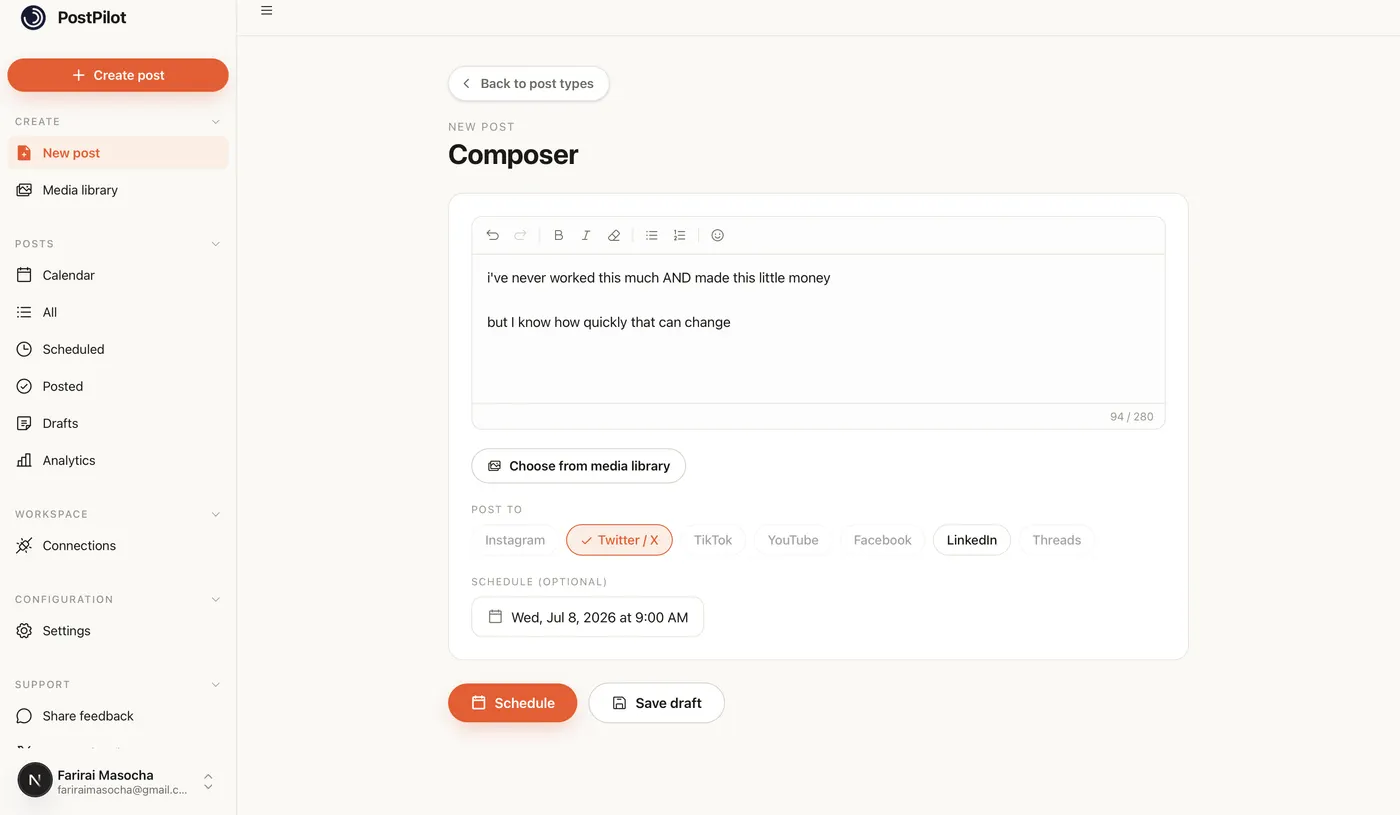
- 1
Connect your X account
Authorize X through the official login in WriteOnce Settings. Scheduled posts publish through X's API exactly as if you posted from the app.
- 2
Write with the 280-character guardrail
The composer clamps to X's limit when X is selected. Draft longer copy for LinkedIn separately using per-platform captions if you cross-post.
- 3
Attach images or video optionally
Text-only posts, image posts, and video all schedule the same way. Upload media once to the library and reuse across posts.
- 4
Schedule or queue
Pick a publish time or add to your weekly queue. Volume posting is easier when you batch ten posts in one sitting and spread them across the week.
- 5
Add a first comment if needed
On Growth plans and above, schedule a first comment for links or extra context so the main post stays clean.
Get more from scheduled Twitter / X posts
Cross-post to Threads and Bluesky
Short posts often fit all three. One caption, three platforms, one scheduled time.
Batch on quiet days
Write a week of posts when you have headspace, then let the queue handle timing.
Watch the character counter on cross-posts
When multiple platforms are selected, the counter uses the strictest limit, usually X's 280.
Related guides
WriteOnce is built for cross-posting. See how Twitter / X scheduling fits alongside posting to all social media at once and how we compare to other schedulers.
From draft to everywhere in 3 steps
No tabs. No copy-paste. No "did I already post this on LinkedIn?"
Connect your accounts
Link Instagram, X, TikTok, LinkedIn, YouTube and more in two clicks. Secure connections that refresh themselves, so you never log in twice.
Create your post once
Write your caption, add media from your library, and pick which platforms to publish to before it goes live.
Schedule & publish
Post now or pick a date and time. One calendar runs it all.
X scheduler questions, answered
Yes. WriteOnce publishes through X's official API with your authorized account, the same mechanism X provides for exactly this purpose.
Schedule everywhere else too
WriteOnce is one composer for all 10 platforms. Write your post once and post to all your social media at once. See pricing for plans that include every platform. Compare us to Buffer, Later, or Hootsuite if you are evaluating schedulers.
Hit a milestone? Try the free Twitter / X follower count generator.
 Bluesky scheduler
 Threads scheduler
 Reddit scheduler
 Pinterest scheduler
 LinkedIn post scheduler
 Instagram scheduler
 TikTok scheduler
 YouTube scheduler
 Facebook scheduler
Ready to put your posting on autopilot?
Every plan includes a 7-day free trial. Cancel anytime.