

Schedule Instagram posts, carousels, and video
Instagram publishing is a production line: pick the image, write the caption, find the right time, repeat forever. WriteOnce turns that into a batch job. Upload your media once, write captions in one sitting, and schedule everything onto a calendar you can actually see.
Carousels of up to 10 images, single photos, and video all schedule the same way, with captions counted against Instagram's 2,200-character limit. The same visual content can go to Facebook, Pinterest, and TikTok in the same publish, because you uploaded it once.
Full carousel support
Schedule carousels of up to 10 images, not just single photos. Galleries publish in the order you arranged them, automatically.
True auto-publish
Posts publish through Instagram's official API at the scheduled time. No reminder notifications, no phone required at publish time.
A media library that remembers
Upload images and video once, reuse them across posts and platforms. Search by filename, filter by type, done.
Instagram plus the visual platforms
The same photo set fits Facebook, Pinterest, and TikTok photo mode. Four platforms, one publish, zero re-uploading.
How to schedule Instagram posts with WriteOnce
Auto-publish photos, carousels, and Reels to Instagram at a set time without phone confirmations.
- 1
Connect Instagram in Settings
Link your Instagram professional account through Meta's official flow. WriteOnce needs the professional account type to publish via API.
- 2
Upload photos, carousels, or video
Add up to 10 images for a carousel or a single video for Reels. Instagram requires media on every post, so attach assets before selecting the platform.
- 3
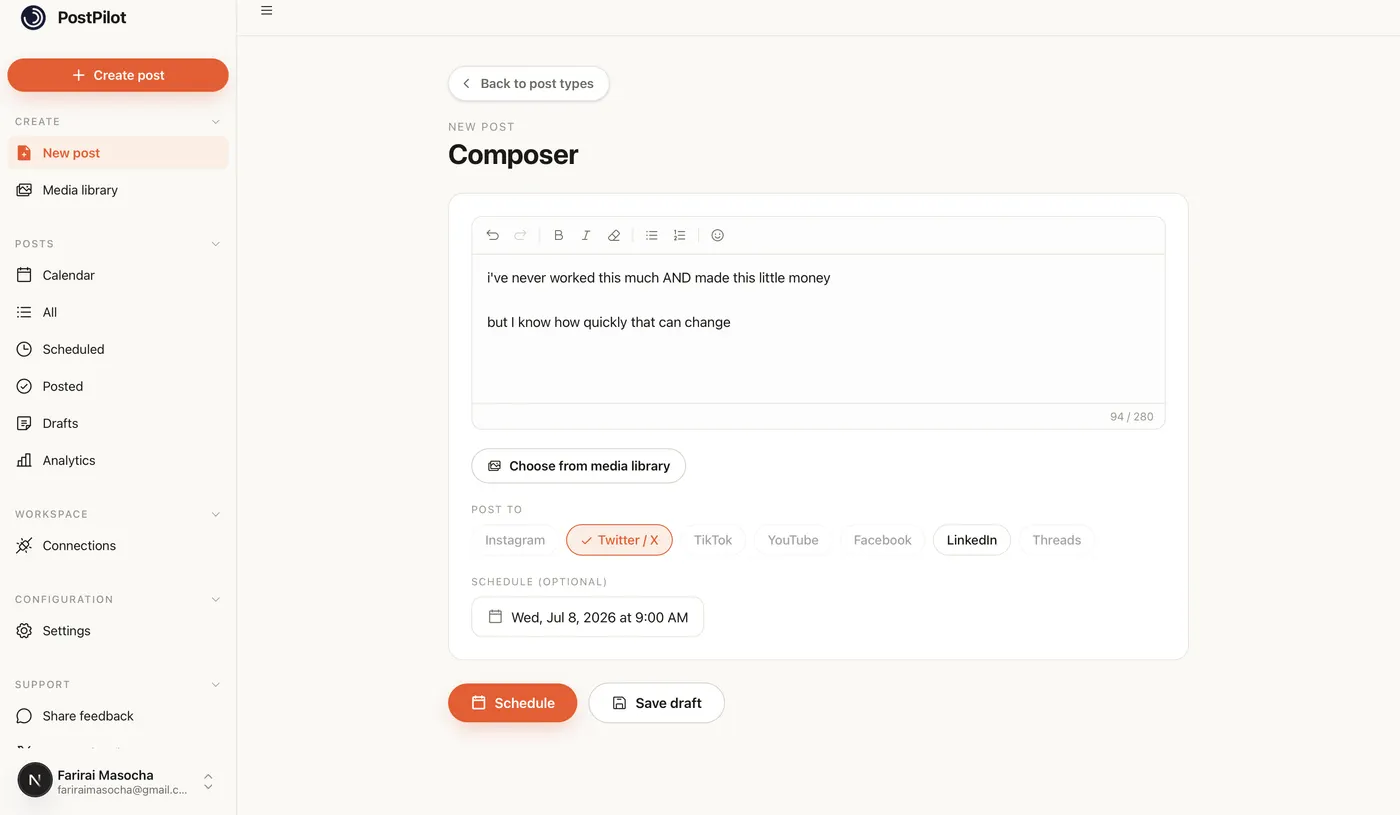
Write the caption with the live counter
Instagram allows 2,200 characters. The composer tracks the count as you type and warns you before publish if you cross the limit.
- 4
Choose publish now or schedule
Pick a date and time for auto-publish. WriteOnce sends the post through Instagram's API at that moment with no phone confirmation required.
- 5
Cross-post to Facebook and Pinterest
Visual posts often belong on multiple networks. Select Instagram, Facebook, and Pinterest together when the same creative fits all three.
Get more from scheduled Instagram posts
Schedule Reels in batches
Upload a week of vertical clips, caption them in one session, and stagger publish times. Consistency matters more than perfect timing on Instagram.
Check our Instagram timing guide
Posts scheduled in your strongest hour often see higher saves and shares. See our best time to post on Instagram guide for day-by-day windows.
Carousels need order locked in
Arrange carousel slides in the composer before scheduling. WriteOnce publishes them in the order shown.
Related guides
WriteOnce is built for cross-posting. See how Instagram scheduling fits alongside posting to all social media at once and how we compare to other schedulers.
From draft to everywhere in 3 steps
No tabs. No copy-paste. No "did I already post this on LinkedIn?"
Connect your accounts
Link Instagram, X, TikTok, LinkedIn, YouTube and more in two clicks. Secure connections that refresh themselves, so you never log in twice.
Create your post once
Write your caption, add media from your library, and pick which platforms to publish to before it goes live.
Schedule & publish
Post now or pick a date and time. One calendar runs it all.
Instagram scheduler questions, answered
Yes. Posts publish automatically through the official API at the scheduled time. You don't need to confirm from your phone.
Schedule everywhere else too
WriteOnce is one composer for all 10 platforms. Write your post once and post to all your social media at once. See pricing for plans that include every platform. Compare us to Buffer, Later, or Hootsuite if you are evaluating schedulers.
Hit a milestone? Try the free Instagram follower count generator.
Not sure when to schedule? Our best time to post on Instagram guide breaks down the best window for every day of the week.
 Bluesky scheduler
 Threads scheduler
 Reddit scheduler
 Pinterest scheduler
 X scheduler
 LinkedIn post scheduler
 TikTok scheduler
 YouTube scheduler
 Facebook scheduler
Ready to put your posting on autopilot?
Every plan includes a 7-day free trial. Cancel anytime.