

Schedule LinkedIn posts while the ideas are fresh
The best LinkedIn posts get written when you're thinking clearly, not at 8:47 AM when the feed says it's prime time. WriteOnce separates writing from publishing: draft your long-form post tonight, schedule it for tomorrow morning, and let the queue keep your profile active for the rest of the week.
LinkedIn gives you 3,000 characters, the most room of any major short-form network, and WriteOnce tracks it live. The same update can also go out to X or Facebook in trimmed form using per-platform captions, so one idea covers your whole professional presence. LinkedIn shares the same composer, calendar, and flat pricing as Instagram, TikTok, Bluesky, and the rest.
Room for long-form, with a counter
Write up to 3,000 characters with a live counter. Hooks, whitespace, and full stories fit; the composer tells you when they won't.
Consistency the algorithm notices
LinkedIn rewards accounts that post regularly. A weekly queue with your best time slots keeps you visible even during crunch weeks.
Documents of the feed: images and video
Schedule text posts, single images, carousels of up to 10 images, or native video, all from one media library.
Per-platform captions
Keep the 3,000-character essay for LinkedIn and give X a punchy 280-character version of the same idea, in one composer, published together.
How to schedule LinkedIn posts with WriteOnce
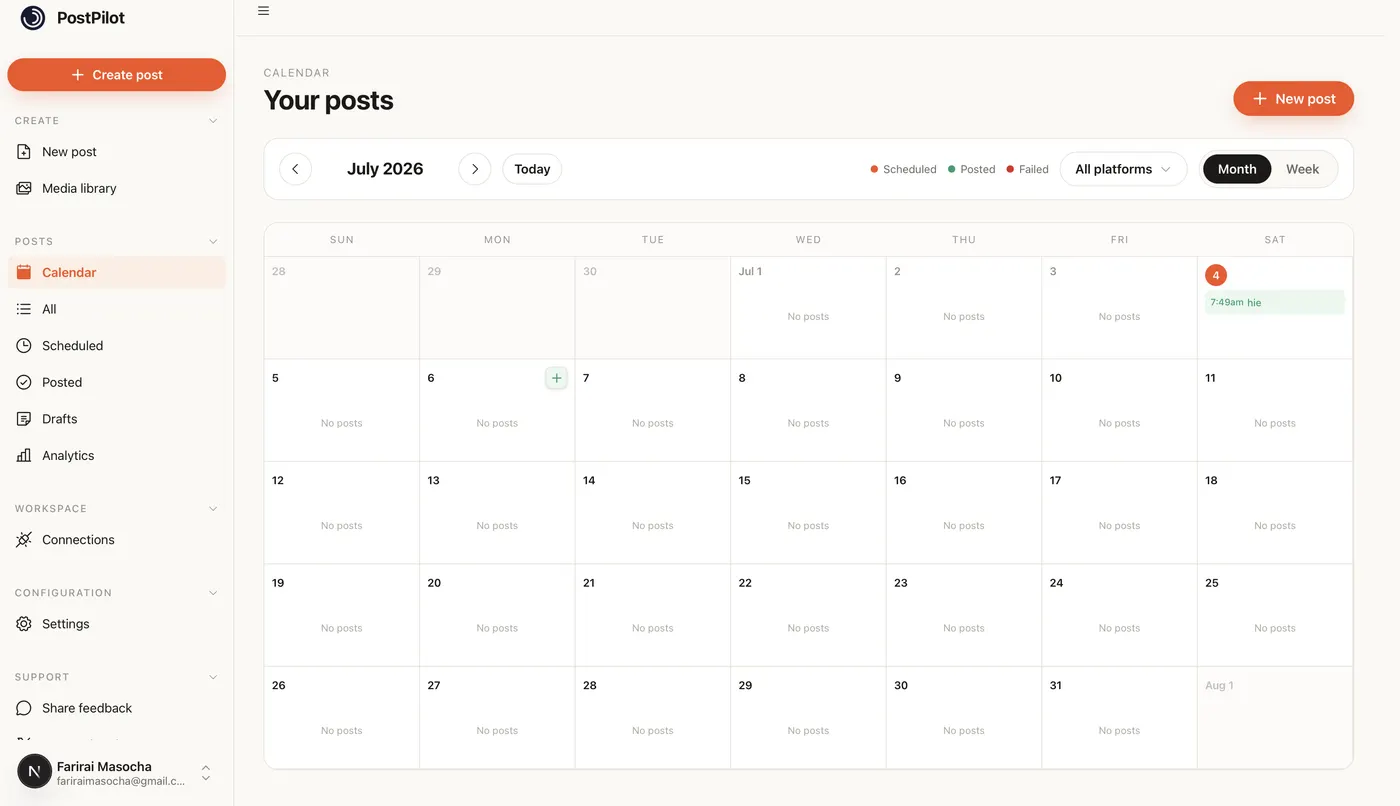
Draft long-form LinkedIn posts up to 3,000 characters, schedule weekday morning slots, and cross-post to your other accounts from one composer.
- 1
Connect LinkedIn via official login
Link your LinkedIn profile through the official authorization in WriteOnce Settings. WriteOnce publishes through LinkedIn's API with no password sharing, and you can revoke access from LinkedIn at any time.
- 2
Draft the long-form post in the composer
LinkedIn allows up to 3,000 characters. Use whitespace and short paragraphs; the live counter tells you when you are approaching the cap. On Growth plans and above, you can keep the full essay for LinkedIn and add a shorter per-platform caption for X in the same draft.
- 3
Attach images, carousels, or video if needed
Attach a single image, up to 10 images for a document-style carousel, or a native video clip. Media uploads once to your library and can be reused across LinkedIn and the other platforms you select.
- 4
Schedule for weekday morning windows
Pick Tuesday through Thursday mornings (roughly 8 to 10 a.m. in your audience's timezone) for professional content. Use the calendar to spot gaps before your profile goes quiet, or drop posts into a recurring queue for those slots.
- 5
Cross-post to other connected accounts
Select LinkedIn plus X, Facebook, or any other connected network in one publish. One idea covers your professional presence without rewriting from scratch in ten tabs.
Get more from scheduled LinkedIn posts
Write when ideas are fresh
Schedule separates writing from publishing. Draft Sunday, publish Tuesday morning.
Consistency beats virality
A weekly queue with three slots keeps you visible during crunch weeks when manual posting stops.
Cross-post announcements to X
Launch posts often belong on LinkedIn and X together with different caption lengths.
Related guides
WriteOnce is built for cross-posting. See how LinkedIn scheduling fits alongside posting to all social media at once and how we compare to other schedulers.
From draft to everywhere in 3 steps
No tabs. No copy-paste. No "did I already post this on LinkedIn?"
Connect your accounts
Link Instagram, X, TikTok, LinkedIn, YouTube and more in two clicks. Secure connections that refresh themselves, so you never log in twice.
Create your post once
Write your caption, add media from your library, and pick which platforms to publish to before it goes live.
Schedule & publish
Post now or pick a date and time. One calendar runs it all.
LinkedIn post scheduler questions, answered
Every WriteOnce plan starts with a 7-day free trial and includes LinkedIn with unlimited scheduling, alongside the other 9 platforms.
Schedule everywhere else too
WriteOnce is one composer for all 10 platforms. Write your post once and post to all your social media at once. See pricing for plans that include every platform. Compare us to Buffer, Later, or Hootsuite if you are evaluating schedulers.
Hit a milestone? Try the free LinkedIn follower count generator.
 Bluesky scheduler
 Threads scheduler
 Reddit scheduler
 Pinterest scheduler
 X scheduler
 Instagram scheduler
 TikTok scheduler
 YouTube scheduler
 Facebook scheduler
Ready to put your posting on autopilot?
Every plan includes a 7-day free trial. Cancel anytime.