

Schedule Pinterest pins to the right board, on time
Pinterest is a slow-burn platform: pins keep driving traffic for months, which makes consistent publishing worth automating. WriteOnce schedules image and video pins to the exact board you choose, on a one-off time or a weekly queue, so your boards keep growing without a daily pinning session.
Pins are visual by definition, so WriteOnce requires an image or video before Pinterest can be selected, and pin titles are clamped to Pinterest's 100-character cap. The same visual post can go to Instagram, Facebook, and TikTok in the same publish.
Board targeting built in
Pick the destination board per post right in the composer. WriteOnce remembers your last-used board so repeat pinning is one click, not a hunt through menus.
Titles that survive the 100-character cap
Pinterest cuts pin titles at roughly 100 characters. WriteOnce clamps the counter when Pinterest is selected, so you write titles that display fully instead of trailing off.
Image and video pins
Schedule standard image pins or video pins from the same composer, using media you've uploaded once to your library.
One visual, four platforms
The product shot you pin also fits Instagram, Facebook, and TikTok photo mode. Select all four and publish once instead of re-uploading the same file four times.
How to schedule Pinterest pins with WriteOnce
Upload an image or video, pick a board, write a pin title under 100 characters, and schedule pins on a calendar or weekly queue.
- 1
Connect Pinterest in Settings
From WriteOnce Settings, connect your Pinterest account through the official authorization flow. Once linked, WriteOnce can read your boards and publish pins on your behalf at the scheduled time.
- 2
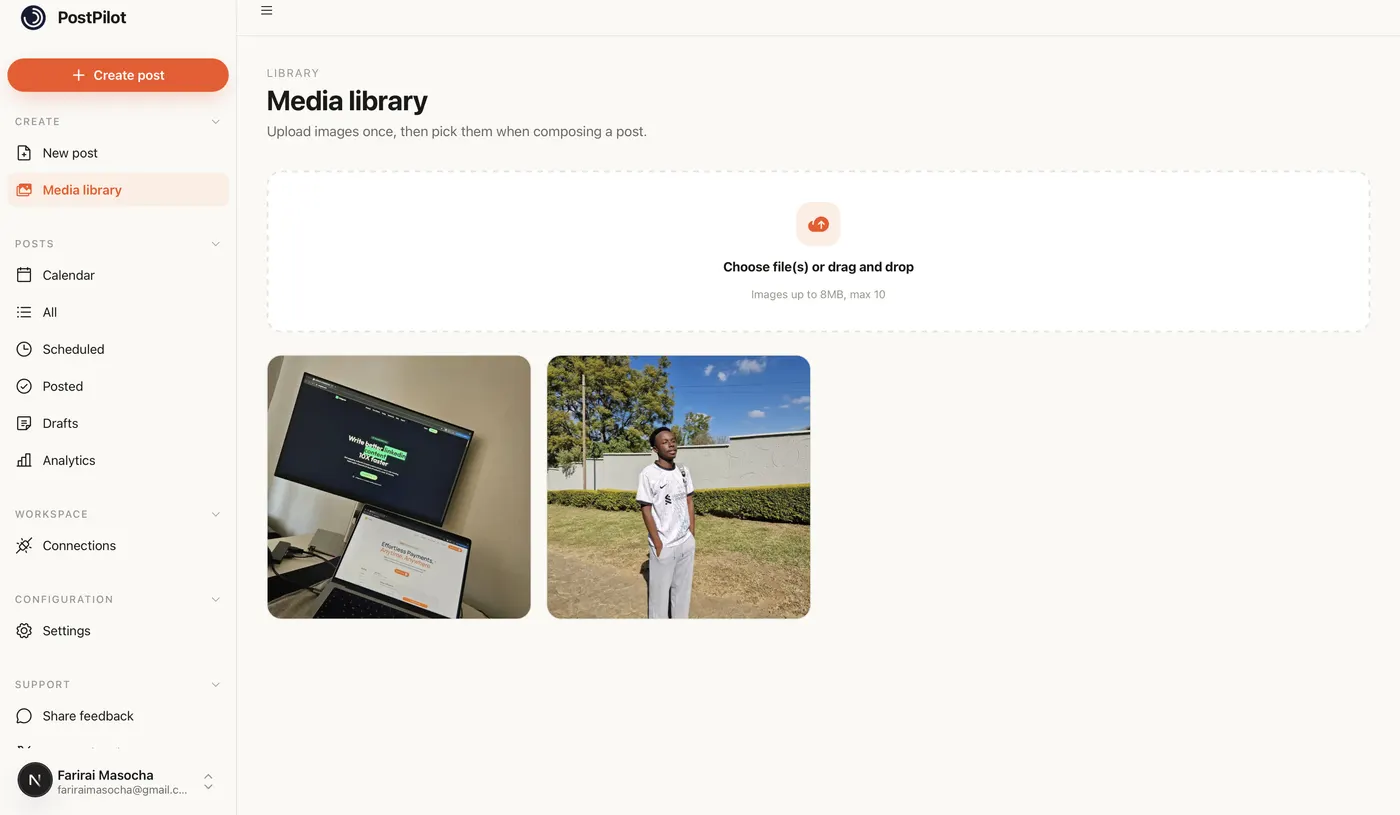
Upload your pin creative
Pinterest requires visual media for every pin. Upload your image or video to the WriteOnce media library first. Vertical images around 2:3 aspect ratio perform best, but WriteOnce publishes whatever asset you attach.
- 3
Open the composer and select Pinterest
Create a new post and tick Pinterest. The composer only enables Pinterest once media is attached, which prevents the failed publishes that happen when tools let you select Pinterest too early.
- 4
Pick the destination board
Choose which board the pin should land on from the Pinterest options panel. WriteOnce remembers your last-used board so repeat pinning to the same board is one click on the next post.
- 5
Write a title and description
Pin titles cap at roughly 100 characters. WriteOnce clamps the counter when Pinterest is selected. Use the caption field for keyword-rich descriptions that help Pinterest search surface the pin months later.
- 6
Schedule or queue the pin
Pick a one-off publish time or add the pin to your weekly queue. Pinterest rewards consistency over bursts, so spacing pins across the week beats dumping ten at once.
Get more from scheduled Pinterest posts
Batch pins, spread publish times
Create five pins in one sitting and schedule them across the week. Pinterest traffic compounds over months, so a steady queue beats sporadic pinning sessions.
Reuse visuals across platforms
The same product photo can pin to Pinterest and post to Instagram and Facebook in one publish. Upload once, select all three, and save the re-uploading.
Front-load keywords in the title
Pinterest reads titles and descriptions for search. Put the primary keyword early in the title before the 100-character cap cuts you off.
Video pins work too
Upload a short video to the media library and schedule it as a video pin, or cross-post the same clip to TikTok and Instagram Reels in the same action.
Related guides
WriteOnce is built for cross-posting. See how Pinterest scheduling fits alongside posting to all social media at once and how we compare to other schedulers.
From draft to everywhere in 3 steps
No tabs. No copy-paste. No "did I already post this on LinkedIn?"
Connect your accounts
Link Instagram, X, TikTok, LinkedIn, YouTube and more in two clicks. Secure connections that refresh themselves, so you never log in twice.
Create your post once
Write your caption, add media from your library, and pick which platforms to publish to before it goes live.
Schedule & publish
Post now or pick a date and time. One calendar runs it all.
Pinterest scheduler questions, answered
Yes. Board selection is part of composing the post, and WriteOnce preselects your most recently used board to speed up repeat pinning.
Schedule everywhere else too
WriteOnce is one composer for all 10 platforms. Write your post once and post to all your social media at once. See pricing for plans that include every platform. Compare us to Buffer, Later, or Hootsuite if you are evaluating schedulers.
Hit a milestone? Try the free Pinterest follower count generator.
 Bluesky scheduler
 Threads scheduler
 Reddit scheduler
 X scheduler
 LinkedIn post scheduler
 Instagram scheduler
 TikTok scheduler
 YouTube scheduler
 Facebook scheduler
Ready to put your posting on autopilot?
Every plan includes a 7-day free trial. Cancel anytime.