

Schedule Facebook Page posts alongside everything else
Facebook Pages still drive real traffic for local businesses and communities, but the native scheduler lives in its own silo. WriteOnce puts your Facebook Page posts on the same composer and calendar as your other 9 platforms, so Facebook stops being the platform you forget.
Pick which Page to publish to, write your caption with effectively no length ceiling (Facebook allows over 60,000 characters), and schedule text, photo, carousel, or video posts. The same content can hit Instagram and LinkedIn in the same publish.
Page targeting
Manage more than one Page? WriteOnce lets you choose the destination Page per post and remembers your last choice.
Every content type
Text updates, single photos, multi-image posts, and video all schedule to Facebook from the same composer.
The longest captions anywhere
Facebook's limit is over 60,000 characters, so it's never the platform that truncates your cross-post. Write freely.
Facebook plus Instagram in one publish
The Meta pair usually gets the same content. Select both and one publish covers them, each through its official API.
How to schedule Facebook Page posts with WriteOnce
Target a Facebook Page, schedule text and media posts, and cross-post to Instagram in one action.
- 1
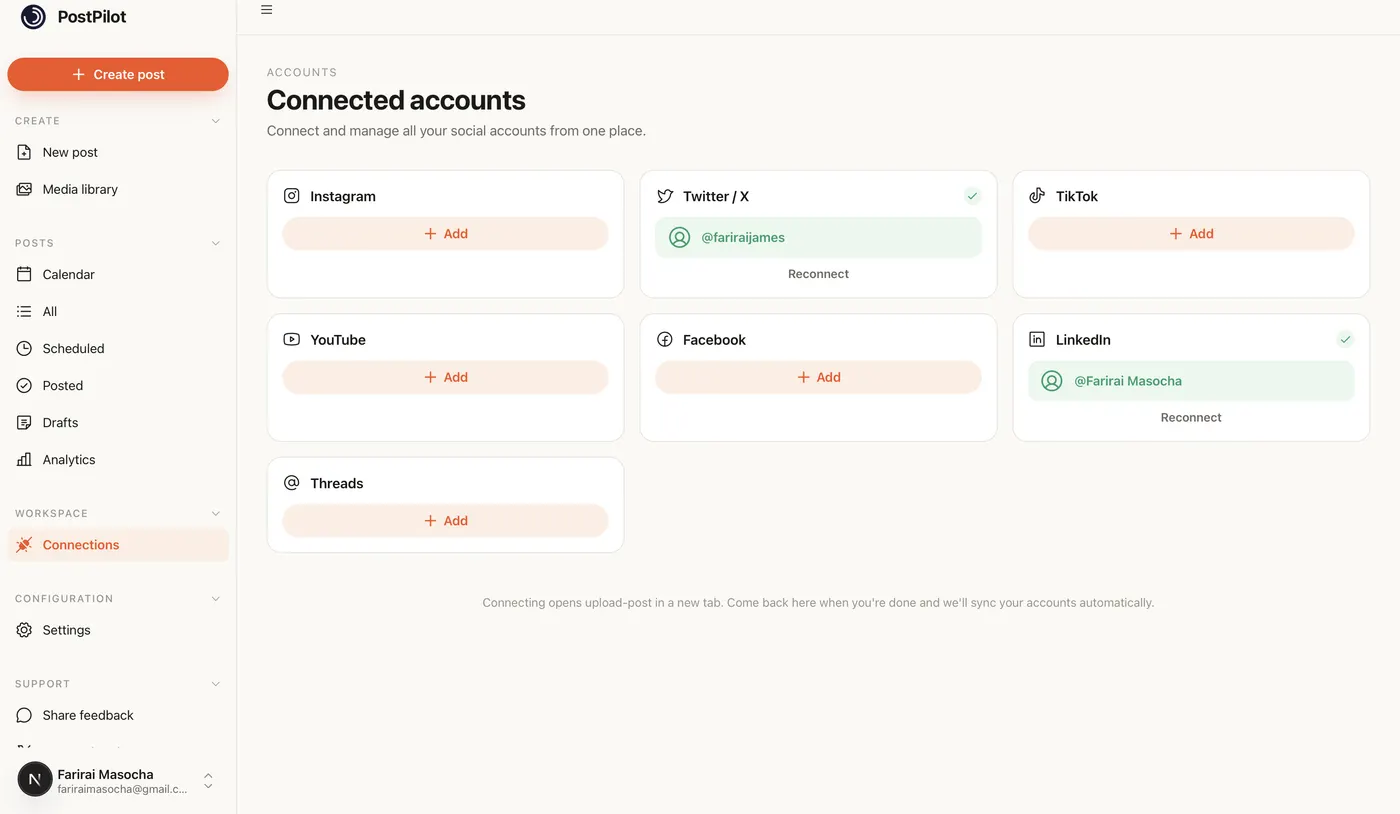
Connect Facebook and select your Page
Authorize Facebook in Settings, then choose which Page to publish to in the composer. WriteOnce remembers your last Page selection.
- 2
Create the post with media
Schedule text updates, photos, multi-image posts, or video. Facebook's character limit is effectively unlimited for normal captions.
- 3
Add Instagram if the creative fits
Meta pairs often share content. Select Facebook and Instagram together for one publish to both.
- 4
Schedule on the shared calendar
Pick a time or queue slot. Facebook Page posts appear on the same calendar as your other nine platforms.
Get more from scheduled Facebook posts
Pages only, not personal profiles
WriteOnce publishes to Facebook Pages through the API. Personal profile scheduling is not supported by Facebook's API.
Local businesses: post mornings
Community updates often perform best before noon in the local timezone of your audience.
Reuse Instagram creatives
The same image that works on Instagram usually works on your Facebook Page without re-uploading.
Related guides
WriteOnce is built for cross-posting. See how Facebook scheduling fits alongside posting to all social media at once and how we compare to other schedulers.
From draft to everywhere in 3 steps
No tabs. No copy-paste. No "did I already post this on LinkedIn?"
Connect your accounts
Link Instagram, X, TikTok, LinkedIn, YouTube and more in two clicks. Secure connections that refresh themselves, so you never log in twice.
Create your post once
Write your caption, add media from your library, and pick which platforms to publish to before it goes live.
Schedule & publish
Post now or pick a date and time. One calendar runs it all.
Facebook scheduler questions, answered
Pages. You connect through Facebook's official login flow, pick the Page in the composer, and posts publish there automatically at the scheduled time.
Schedule everywhere else too
WriteOnce is one composer for all 10 platforms. Write your post once and post to all your social media at once. See pricing for plans that include every platform. Compare us to Buffer, Later, or Hootsuite if you are evaluating schedulers.
Hit a milestone? Try the free Facebook follower count generator.
 Bluesky scheduler
 Threads scheduler
 Reddit scheduler
 Pinterest scheduler
 X scheduler
 LinkedIn post scheduler
 Instagram scheduler
 TikTok scheduler
 YouTube scheduler
Ready to put your posting on autopilot?
Every plan includes a 7-day free trial. Cancel anytime.